Create online polls quickly with the Doodle Poll Maker

Updated: Jul 1, 2026

Looking for the best online poll maker? Look no further than Doodle.
With our poll maker, all your bases are covered. Doodle is quick, easy and straightforward to use. Get started now!
No credit card required
How do I create a free online poll?

First, log in and select 'Create' from the dashboard. Then choose 'Group poll' to get started. For this poll, we’d like to find the best time for a business meeting.
Include the name of the meeting, the location and any notes you like.
When you log in to your Doodle account, all your polls and bookings are saved in a personal dashboard. You can sign in using Google, Apple, Facebook, Microsoft, or SSO for quick and secure access.
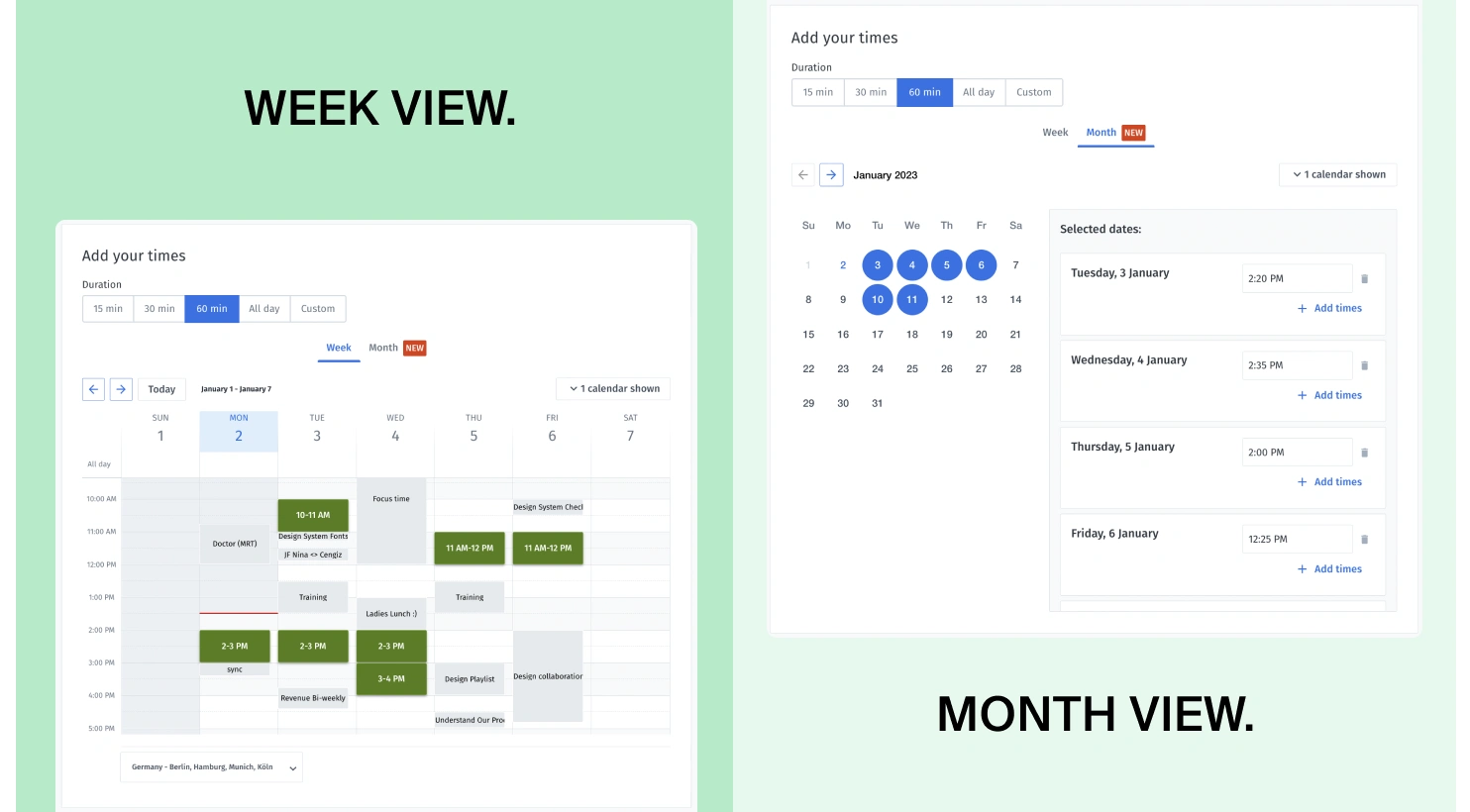
Second, you’ll add the time options for your meeting.
You can choose options from the week view or from the calendar view.
If you’re scheduling a meeting it’s best to include lots of options to give your participants a greater possibility of finding an appropriate time.
If you connect your calendar to Doodle you can see all your appointments at the same time to avoid double-bookings or over-bookings.
Third, you’ll reach the settings section where you can customize your Doodle poll. Free users have access to essential response options like “Yes,” “No,” or “If need be.”
With Doodle Pro, you unlock advanced features including:
Hiding the participant list for greater privacy
Sending automatic email reminders to non-responders
Setting a deadline to close the poll
Removing ads for a more professional appearance
Sending invitations directly from Doodle (up to 1,000 recipients)
Limiting how many people can select each time slot
These features help streamline your scheduling process, reduce no-shows, and enhance participant privacy.
Last, share your Doodle poll with your guests. Once your poll is created, simply copy the participation link and send it via email, chat, or social media. You can also share directly via LinkedIn, WhatsApp, Facebook, X, or embed it on a website.
If you're a Doodle Pro user, you can send poll invitations directly from Doodle to up to 1,000 participants.
Your guests can respond in just a few clicks, and you’ll have your answer in minutes. It’s a quick, simple way to bring people together.
How do you make a poll on Google?
Google Forms can be a good starting point for simple surveys — but if you’re looking for fast, flexible scheduling, Doodle is built for exactly that.
From your Doodle dashboard, click "Create" and choose the right scheduling tool for your needs:
Group Polls – the easiest way to find a time that works for a group
1:1 – perfect for scheduling one-on-one meetings with just a few clicks
Booking Page – let others book time with you based on your real-time availability
Sign-up Sheet – organize shifts, events, or volunteer spots where people claim open slots
Great things happen when we come together. Do it easily with Doodle!
No credit card required
Related content